Skip to content

Check if your smartphone is compatible with your hearing aids

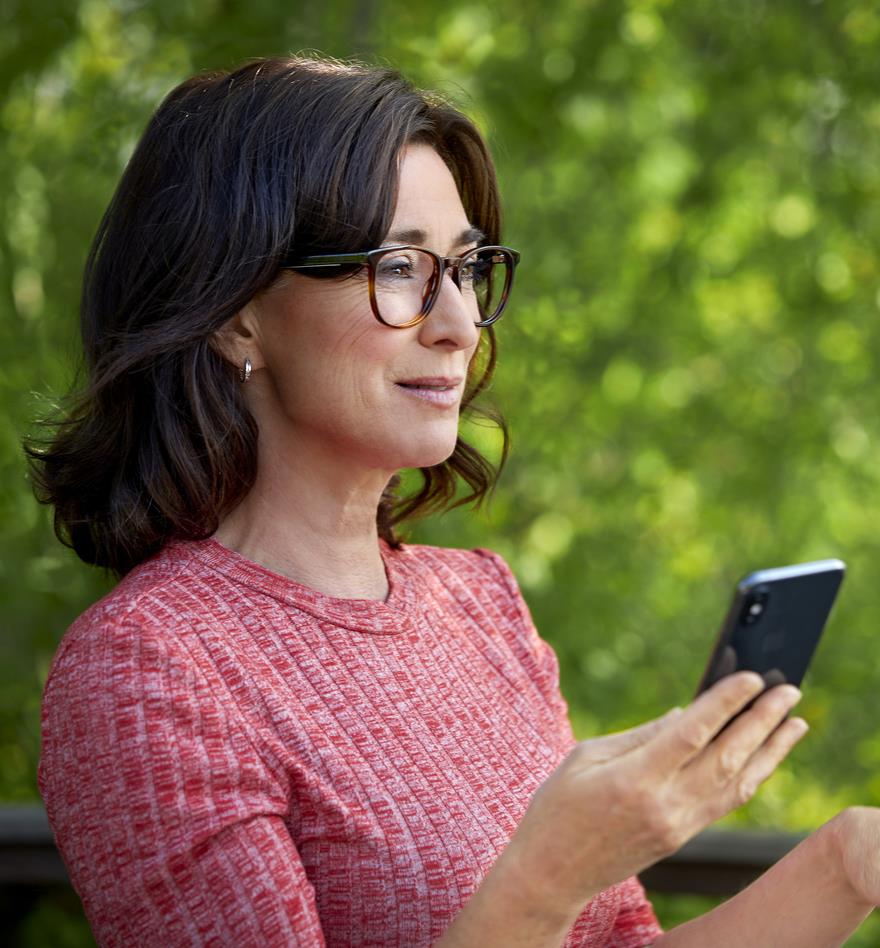
Nainen käyttää älypuhelinta

Use your iOS device with your hearing aids

Direct audio streaming (MFi)

You can connect Interton wireless hearing aids directly to your iPhone, iPad or iPod touch. This enables you to stream phone calls, music, navigation or any other audio from your device directly to your hearing aids. When your hearing aids are paired with a compatible iOS device, direct audio streaming and basic hearing aid adjustments are available from the device settings.

Hands-free call for iPhone and iPad

With Interton hearing aids it has become more convenient than ever to stay in touch with the people in your life. Now you can enjoy hands-free phone and FaceTime calls for iPhone and iPad*. See the compatibility for this latest streaming technology listed below. Contact your hearing care professional to find out more about Interton hearing aids and hands-free calls.

Hands-free call for iPhone and iPad

Personalize your hearing settings

Use the Interton Sound app to tailor your hearing experience and perfectly match your preferences. Easily. Discreetly. And straight from your iPhone, iPad or iPod touch. Find the app for free download on the App Store.

Yhteensopivat iOS-laitteet:

  • iPhone 15 Pro Max*
  • iPhone 15 Pro*
  • iPhone 15+*
  • iPhone 15*
  • iPhone 14 Pro Max*
  • iPhone 14 Pro*
  • iPhone 14*
  • iPhone 13 Pro Max
  • iPhone 13 Pro
  • iPhone 13
  • iPhone 13 mini
  • iPhone 12 Pro Max
  • iPhone 12 Pro
  • iPhone 12
  • iPhone 12 mini
  • iPhone 11 Pro Max
  • iPhone 11 Pro
  • iPhone 11
  • iPhone XS
  • iPhone XS Max
  • iPhone XR
  • iPhone X
  • iPhone 8 Plus
  • iPhone 8
  • iPhone 7 Plus
  • iPhone 7
  • iPhone 6s Plus
  • iPhone 6s
  • iPhone 6 Plus
  • iPhone 6
  • iPhone SE (2. sukupolvi)
  • iPhone SE
  • iPhone 5s
  • iPad Pro (12,9-tuumainen)
  • iPad Pro (10,5-tuumainen)
  • iPad Pro (9,7-tuumainen)

  • iPad Pro 12.9-inch (5. sukupolvi) 
  • iPad Pro 11-inch (3. sukupolvi)
  • iPad Pro 12.9-inch (4. sukupolvi)
  • iPad Pro 12.9-inch (3. sukupolvi) 
  • iPad Pro 12.9-inch (2. sukupolvi) 
  • iPad Pro 12.9-inch
  • iPad Pro 11-inch (2. sukupolvi)
  • iPad Pro 11-inch
  • iPad Pro 10.5-inch
  • iPad Pro 9.7-inch
  • iPad Air (4. sukupolvi)
  • iPad Air (3. sukupolvi)
  • iPad Air 2
  • iPad Air
  • iPad mini (6. sukupolvi)
  • iPad mini (5. sukupolvi)
  • iPad mini 4
  • iPad mini 3
  • iPad mini 2
  • iPad mini
  • iPad (9. sukupolvi)
  • iPad (8. sukupolvi)
  • iPad (7. sukupolvi)
  • iPad (6. sukupolvi)
  • iPad (5. sukupolvi)
  • iPod touch (6. sukupolvi)

Näitä sovelluksia voidaan käyttää Apple Watchin® avulla, mutta ne täytyy asentaa iPhoneen.

Tietoja Apple-laitteiden yhteensopivuudesta on myös ReSound Smart 3D -sovelluksen kuvauksessa App Storessa ja sovelluksen asetusten kohdassa ReSound Smart 3D esittely -kohdassa.

Sovellusten toimintaedellytykset: iOS 12 tai uudempi.

Watch-tuki edellyttää versioita watchOS 5 ja iOS 12 tai uudempi.

Use your Android device with your hearing aids

Suora äänensiirto

Jos Android-älypuhelimesi ja kuulokojeesi tukevat ASHA-toimintoa (Android Streaming to Hearing Aids), voit ladata ja asentaa ReSound Smart 3D -sovelluksen, käynnistää sen ja napauttaa Aloita-painiketta. Kun kuulokojeet on paritettu älypuhelimeesi, voit siirtää ääntä suoraan niihin.

Stereoääntä voidaan siirtää Android-laitteista suoraan seuraaviin ReSound-kuulokojeisiin:

Suora äänensiirto Android-laitteisiin* on yksi uusimmista kuulokojeiden liitettävyysominaisuuksista. Siksi se on käytettävissä vain tietyissä uusimmalla teknologialla varustetuissa älypuhelinmalleissa. Tarkista operaattoriltasi ennen uuden älypuhelimen ostamista, että tämä ominaisuus kuuluu palveluun.


Update on Android connectivity (Dec 2022)


Connectivity with Samsung devices:
Some users have experienced connectivity issues, particularly with only one hearing instrument re-connecting. 
 We can confirm that Samsung has resolved the issue as part of Android 13 (One UI 5.0). The roll-out of the update is ongoing and not all devices will get the update at once. We encourage all users to install the update when it becomes available to once again enjoy seamless connectivity.

Connectivity with Google Pixel devices:
Some users with Google Pixel devices running Android 13 may experience difficulties pairing their hearing instruments with their smartphone or unstable connectivity, and streaming. We are investigating the issues with Google and expect the issues to be resolved in a future software update from Google. In the meantime, you may reconnect by turning Bluetooth off/on. As soon as a permanent resolution has been identified, we will make an update on this page.

For specific questions related to connectivity, please reach out to your nearest hearing care professional for further assistance.
 

Suoran äänensiirron kanssa yhteensopivat Android-laitteet

  • Google Pixel 8 Pro
  • Google Pixel 8
  • Google Pixel 7 Pro
  • Google Pixel 7
  • Google Pixel 7a
  • Google Pixel 6 Pro
  • Google Pixel 6 XL
  • Google Pixel 6a
  • Google Pixel 6
  • Google Pixel 5a 5G
  • Google Pixel 5
  • Google Pixel 4a 5G
  • Google Pixel 4 XL
  • Google Pixel 4a
  • Google Pixel 4
  • Google Pixel 3 XL
  • Google Pixel 3
  • Google Pixel 3a XL
  • Google Pixel 3a
  • OnePlus 9 Pro
  • OnePlus 9
  • OnePlus 9 R
  • OnePlus 7T
  • OnePlus 7 Pro
  • Samsung Galaxy S23**
  • Samsung Galaxy S23+**
  • Samsung Galaxy S23 Ultra**
  • Samsung Galaxy S22 Ultra 5G
  • Samsung Galaxy S22+ 5G
  • Samsung Galaxy S22 5G
  • Samsung Galaxy S21
  • Samsung Galaxy S21+
  • Samsung Galaxy S21 Ultra
  • Samsung Galaxy S20 FE
  • Samsung Galaxy S20+
  • Samsung Galaxy S20
  • Samsung Galaxy S20 Ultra 5G
  • Samsung Galaxy S10+
  • Samsung Galaxy S10
  • Samsung Galaxy S10e
  • Samsung Galaxy S9
  • Samsung Galaxy S9+
  • Samsung Note 20
  • Samsung Note 20 Ultra
  • Samsung Note 10+
  • Samsung Note 10
  • Motorola Edge 30 Pro (Motorola Edge Plus, Motorola Edge+)

*Täysi äänensiirtoyhteensopivuus Android-laitteiden kanssa edellyttää Android-versiota 10 tai uudempaa, Bluetooth-versiota 5.0 tai uudempaa ja sitä, että puhelimen valmistaja ja mobiilioperaattori ovat ottaneet tämän toiminnon käyttöön. Siksi yhteensopivuustiedot ovat vain viitteellisiä. Vaikka ReSound pyrkii saamaan aikaan täydellisen yhteensopivuuden, ReSound ei voi taata täydellistä yhteensopivuutta kaikkien Android-laitteiden kanssa.

**Huomaa, että Samsung Galaxy S23 ei tällä hetkellä ole yhteensopiva ReSound Nexian kanssa, mutta tämän tilan odotetaan muuttuvan tulevien LE Audio -puhelinpäivitysten myötä.

Jos kuulokojeesi tai Android-älypuhelimesi eivät tue Android-äänensiirtoa, voit siirtää ääntä ReSound PhoneClip+ -laitteen avulla. ReSound PhoneClip+ mahdollistaa ReSound-kuulokojeiden yhdistämisen mihin tahansa Bluetooth v.2.0 Android -laitteeseen.

ReSound-paritusopas

Customize your hearing experience

You can use the Interton Sound app to personalize your hearing aid settings to match your preferences. You can quickly adjust your sound experience via the app, so you will always be confident with your hearing aids and ready to engage with the world around you. Find the app for free download on Google Play.
Yhteensopivat Android-laitteet:

Seuraavat Android-laitteet ovat yhteensopivia sekä
ReSound Smart 3D- että ReSound Smart -sovelluksen kanssa:

  • Samsung Galaxy S22 Ultra 5G
  • Samsung Galaxy S22+ 5G
  • Samsung Galaxy S22 5G
  • Samsung Galaxy S21
  • Samsung Galaxy S21+
  • Samsung Galaxy S21 Ultra
  • Samsung Galaxy S20
  • Samsung Galaxy S20 + 
  • Samsung Galaxy S20 Ultra 5G
  • Samsung Galaxy S10
  • Samsung Galaxy S10+
  • Samsung Galaxy S10e
  • Samsung Galaxy S9+
  • Samsung Galaxy S9
  • Samsung Galaxy S8+
  • Samsung Galaxy S8
  • Samsung Galaxy S7 edge
  • Samsung Galaxy S7
  • Samsung Galaxy Note 10+
  • Samsung Galaxy Note 10
  • Samsung Galaxy Note 9
  • Samsung Galaxy Note 8
  • Samsung Galaxy J7 Prime
  • Samsung Galaxy J5
  • Motorola Edge 30 Pro (Motorola Edge Plus, Motorola Edge+)


Seuraavat Android-laitteet ovat yhteensopivia vain
ReSound Smart 3D -sovelluksen kanssa

  • Google Pixel 7 Pro
  • Google Pixel 7
  • Google Pixel 6 Pro
  • Google Pixel 6a
  • Google Pixel 6
  • Google Pixel 5a 5G
  • Google Pixel 5
  • Google Pixel 4 XL
  • Google Pixel 4a 5G
  • Google Pixel 4a
  • Google Pixel 4 
  • Google Pixel 3a
  • Google Pixel 3a XL
  • Google Pixel 3
  • Google Pixel 3XL
  • OnePlus 9 Pro
  • OnePlus 9
  • OnePlus 9 R
  • OnePlus 7 Pro
  • Oneplus 7 T
  • Samsung Galaxy S20 FE
  • Oppo Reno 10x Zoom
  • Asus Zenfone 6
  • Moto G7
  • Xiaomi Mi 9
  • Samsung Galaxy A51


ReSound Smart 3D -sovelluksen voi ladata kaikkiin Android-laitteisiin, joissa on Android OS -versio 8.0 tai uudempi, mutta olemme tarkastaneet luettelossa näkyvien laitteiden yhteensopivuuden.
 
Yhteensopivuus ReSound Assist Live toiminnolle ReSound Smart 3D sovelluksessa vaatii Android 8 tai uudempaa versiota.

ReSound Phone Clip+ -yhteensopivuus: Android-laitteet, jossa käyttöjärjestelmän versio 2.3.5 tai uudempi, ja joissa on Bluetooth 2.0. Toiminta on tarkastettu tietyissä HTC-, Huawei-, LG-, Motorola-, Samsung- ja Sony-laitemalleissa.
*Nämä mallit ovat yhteensopivia ReSound LiNX2:n ja ReSound ENZO2:n kanssa ReSound Smart -sovelluksessa.


Bluetooth® Low Energy (LE) -äänen suoratoisto ja Auracast™-äänilähetystoiminto

Olemme valmistaneet alan ensimmäisen kuulokojeen, joka voi muodostaa yhteyden Bluetooth LE Audio- ja Auracast-lähetysääniin. Bluetooth LE Audio tarjoaa paremman suorituskyvyn, alhaisen viiveen ja alhaisen paristonkulutuksen, ja handsfree*-puheluiden ja Auracast-lähetysäänen avulla Bluetooth LE Audio mahdollistaa uusia äänikokemuksia yksityisissä ja julkisissa tiloissa, mikä tekee maailmasta kuuloystävällisemmän ja kaikkien ulottuvilla olevan.

* Toimii yhteensopivien Android-laitteiden kanssa, jotka tukevat Bluetooth 5.3:a tai uudempaa ja uusinta Bluetooth LE Audio -protokollaa.

Yhteensopivuuden yleiskatsaus

  • Interton Presto
  • Samsung Galaxy S23 Ultra
  • Samsung Galaxy S23+
  • Samsung Galaxy S23